Getting Started in Clawed
Survive your first hours in Prehistoria - pier loot, access cards, museum puzzles, and co-op basics.
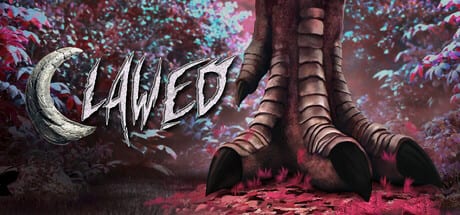
Clawed is a co-op survival horror adventure set in Prehistoria, a ruined dinosaur theme park built by Flatrock Games. You arrive on a covert mission: explore, solve environmental puzzles, scavenge firearms, and extract before Utahraptors, Spinosaurus, and Deinosuchus turn your squad into park statistics. The free Steam demo is the best teacher - it runs several hours and mirrors the full game’s loop ahead of the August 13, 2026 release.
This guide covers your first session from pier spawn through the main square gates, museum fossil puzzle, and the red-light underwater sequence that trips up most new players. For exhaustive key-by-key routing, pair it with the Walkthrough and Demo Checklist. For bindings and camera options, see Controls.
Install and launch the demo
Open the Clawed Steam page and install the demo build. Confirm your PC meets the specs in System Requirements - underwater areas and dense foliage stress mid-range GPUs. Invite up to three friends for online co-op before starting; hosts can adjust Game Modes between Classic and Survival depending on whether you want hunger, thirst, and weather on top of horror combat.
On first launch, spend two minutes in settings: pick first-person or third-person camera (details in Controls), set sensitivity, and verify voice or text chat works for your group.
Pier arrival: your first weapon
You spawn at the monorail pier beside the arrival station. Before wandering, search the pier for a pistol and ammunition. Early raptor encounters assume you can deter or kill threats; arriving unarmed forces awkward backtracking later. Ammunition stays scarce across Prehistoria, so fire in controlled bursts and headshot when the game allows - broader combat advice lives in Combat & Dinosaurs.
Inside the monorail car, the start button sits on the right side. Ride to the main station; the south access tunnel entrance sits beside this arrival platform and becomes relevant once you hold museum keys.
First shelter: main gate access card
After the intro beats, reach the first shelter near the park perimeter. The main gate access card is inside - without it you cannot enter the central square where most demo puzzles live. In co-op, let one player grab the card while others watch blind corners; Utahraptors love flanking open doorways.
Through the main gate, the second shelter to the right holds a shotgun - a major power spike for close quarters. Clear the room, loot, and reload before crossing the square.
Main square: staff center and toilet block
The main square is Prehistoria’s hub. Two items gate mid-demo progress:
- Museum key - Found in the staff center on the right side of the square.
- Fossil - Located in the toilet building on the left after the main gate.
Grab both before entering the museum. The fossil is not optional decoration - you need it for the glowing red puzzle inside. If the museum door will not open, you likely skipped the staff center key.
Museum: fossil on the red light
Enter the museum with key and fossil in inventory. Deep inside, a glowing red light marks an interactive pedestal. Place the fossil on it to unlock a hidden door. Beyond that door, in the museum back room, pick up the South Terminal key (south access tunnel key). This item opens the tunnel beside the monorail station where you first arrived - a common return path players forget until the checklist reminds them.
Red lights appear again in flooded maintenance sections. Treat every red glow as a breadcrumb: interact, move forward, repeat.
Underwater tunnels: follow the red lights
The first major underwater segment confuses solo players and co-op groups alike. When you submerge, immediately turn around, spot the red light, and press the nearby button. Continue through the tunnel chain - each red light marks another button - until your character surfaces with dry feet. Swimming uses forward movement aligned with camera direction (not jump to ascend). If you feel stuck in the megalodon exhibit waters, search for an underwater gate rather than swimming randomly into darkness.
This red-light logic repeats elsewhere; mastering it here saves hours in the Walkthrough.
Mid-demo weapons and tools (quick reference)
After the square, the demo spreads loot across recognizable landmarks. Keep notes or use the Demo Checklist for full detail:
- Wrench - On a box near where you first need it for a valve or gate interaction.
- South maintenance shed key - Back room of the building opposite the large circle between the two Spinosaurus statues.
- Electrical fuse - Maintenance shed after exiting the south tunnel; used in the small shed near the second Spinosaurus statue.
- Assault rifle - First floor of the Ranger station once you reach that zone.
Fuse and wrench puzzles gate power to later areas - if elevators or doors fail, you probably need a backtrack.
Co-op habits that win runs
Clawed rewards coordination without forcing dedicated classes:
- Call out key pickups so nobody duplicates fossils or leaves the access card in a shelter.
- Cover rear halls while one player reads red-light button prompts underwater.
- Share ammo types - pistol for precision, shotgun for raptor packs, rifle for larger threats.
- Regroup before boss arenas - Spinosaurus statues mark zones where Combat & Dinosaurs advice matters most.
Revive mechanics and exact co-op downed-state rules may shift in patches; check Updates near launch week.
Classic vs Survival for your first run
Choose Classic for your first clear: learn layouts without managing hunger and thirst. Switch to Survival once routes are memorized - random encounters and weather punish autopilot movement. Tourism mode lets you explore Prehistoria with reduced combat pressure; useful for screenshot hunters, less useful for learning combat. Full comparison: Game Modes.
What to do after the demo
Wishlist the full game on Steam for the August 13, 2026 launch. Re-run the demo in co-op with assigned roles - one puzzle runner, one scout, two cover - to practice speed routes before release. When Flatrock patches item locations, the Demo Checklist updates faster than forum threads.
You now know the critical path: pier pistol, shelter access card, square keys and fossil, museum red light, underwater buttons. Everything else is depth - and that is what the rest of this wiki is for.
Frequently Asked Questions
Quick answers to the most common questions.
Where is the pistol in the Clawed demo?
On the pier where you spawn at the monorail arrival station, alongside ammunition. Loot it before leaving the area.
How do I open the museum in Prehistoria?
Get the museum key from the staff center on the main square's right side, then enter and place the fossil from the toilet block on the glowing red light inside.
What do red lights mean underwater?
They mark progression buttons. Turn toward each red glow, interact, and follow the tunnel chain until you surface dry.
Can I play the demo alone?
Yes. Solo is fully supported, though co-op up to four players makes combat and split searching easier.
What should I read after this guide?
Use Demo Checklist for every key location, Controls for bindings, and Combat & Dinosaurs before Spinosaurus arenas.